
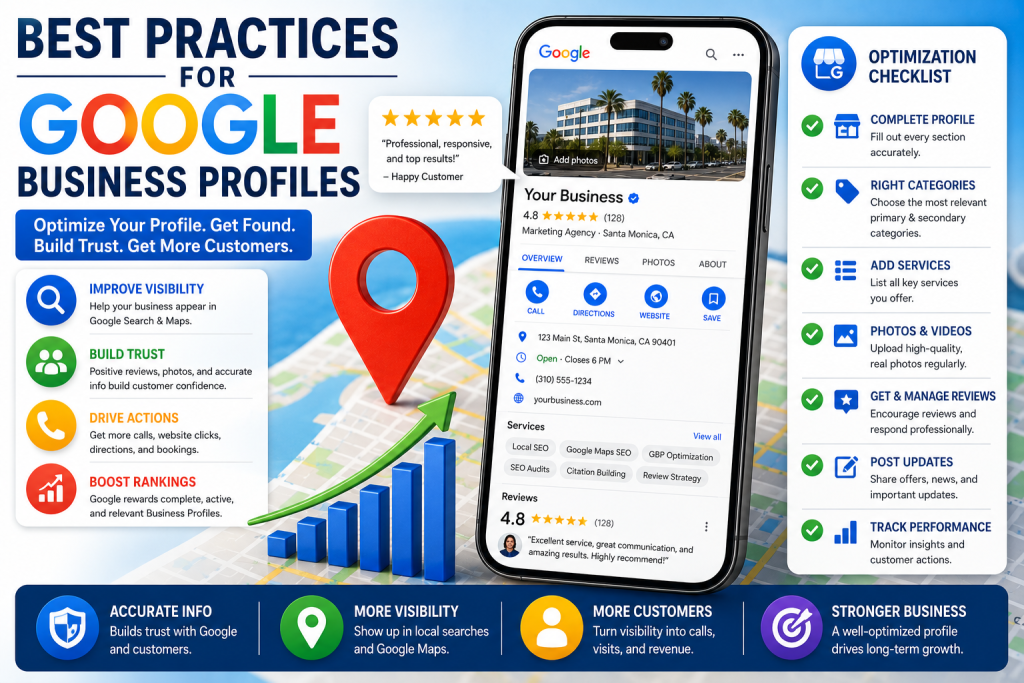
Best Practices for Google Business Profiles: How to Optimize Your Profile for Local SEO, Google Maps Rankings, and AI Search Visibility
Following the best practices for Google Business Profiles is one of the most important steps a local business can take to improve visibility on Google Search and Google Maps. A Google Business Profile helps customers find your business, understand what you offer, read reviews, get directions, call your company, visit your website, and decide whether you are the right provider.
Google states that businesses with complete and accurate information are more likely to show up in relevant local searches. Google also explains that local results are based mainly on relevance, distance, and prominence. You can read Google’s official local ranking guidance here: Tips to improve your local ranking on Google.
This means your Google Business Profile should not be treated as a simple online listing. It should be treated as a local SEO asset. When optimized correctly, it can support Google Maps rankings, local pack visibility, customer trust, lead generation, and AI search understanding.
For businesses competing in local search, profile optimization should be part of a complete Google Maps SEO company strategy that includes categories, reviews, citations, service pages, schema markup, content, and rank tracking.
What Is a Google Business Profile?
A Google Business Profile is the business listing that appears on Google Search and Google Maps. It allows a business to display important information such as its name, address, phone number, website, hours, services, products, photos, reviews, posts, and business description.
Google says business owners can edit a verified Business Profile to keep business information accurate and up to date. Google’s documentation explains that businesses can update details like address, hours, contact information, and photos to help customers find and learn more about the business. You can review Google’s official source here: Edit your Business Profile.
For local businesses, the profile is often the first impression customers see before visiting the website. That is why the information must be accurate, complete, and aligned with the rest of the business’s online presence.
Why Google Business Profile Optimization Matters
Google Business Profile optimization matters because local customers are often ready to take action. When someone searches for a business near them, they may want to call, get directions, compare reviews, book an appointment, or visit a website.
A complete and optimized profile helps Google understand your business and helps customers make a decision.
An incomplete profile can create problems. If your business hours are missing, customers may not know when to contact you. If your categories are wrong, Google may not connect your profile to the right searches. If your reviews are unmanaged, customers may question your trust. If your photos are outdated, the business may look inactive. If your services are missing, customers may not understand what you offer.
Best practices are important because they help every part of the profile work together.
Keep Business Information Accurate and Complete
The foundation of Google Business Profile optimization is accurate business information.
Your profile should clearly show:
- Business name
- Address or service area
- Phone number
- Website URL
- Business hours
- Holiday hours
- Primary category
- Secondary categories
- Services
- Products when relevant
- Business description
- Photos
- Attributes
Google recommends complete and accurate business information because it helps customers know what a business does, where it is, and when they can visit. This also supports relevance because Google needs clear information to match your business with local searches.
If your business moves, changes phone numbers, changes services, adds locations, changes hours, or updates its website, the profile should be updated quickly.
Follow Google’s Business Representation Guidelines
Before trying to optimize a Google Business Profile, a business should make sure it follows Google’s rules.
Google’s guidelines for representing a business on Google explain how businesses should maintain high-quality information and avoid common problems, including changes to information or removal of business information. You can read Google’s official guidelines here: Guidelines for representing your business on Google.
This matters because aggressive or inaccurate optimization can create risk. Businesses should avoid keyword stuffing the business name, using fake locations, creating duplicate listings, choosing irrelevant categories, or misrepresenting services.
The best long-term strategy is to build a profile that is accurate, compliant, helpful, and aligned with the real business.
Choose the Right Primary Category
Your primary category is one of the most important relevance signals on your Google Business Profile.
The primary category tells Google what your business mainly is. If this category is wrong, your profile may struggle to appear for the right searches. If the category is accurate and specific, it can help Google match your business with better local intent.
For example, a dentist should not use a general category if a more accurate dental category applies. A roofing contractor should use a roofing-related category. A marketing agency should choose the closest accurate category available and then support that category with services, website content, citations, and reviews.
The category should describe the business, not every individual service.
For better Google Maps SEO, category selection should be based on accuracy, customer intent, competitor research, and service focus.
Use Secondary Categories Carefully
Secondary categories can help Google understand additional major parts of the business.
However, secondary categories should not be used as a keyword stuffing tool. Adding too many unrelated categories can make the profile less focused.
Good secondary categories should describe real services, departments, or business functions that are important to the business.
For example, a business may use a specific primary category and then add supporting categories that accurately reflect major services. But if the category does not describe the business, it should not be added.
The goal is category clarity, not category volume.
Add and Optimize Services
The services section helps customers and Google understand what your business offers.
Google’s documentation explains that businesses can manage services on their Business Profile and select services they offer. You can review the official source here: Manage services on your Business Profile.
Services should be accurate, specific, and aligned with your website.
For example, an SEO company may list services such as:
- Google Maps SEO
- Local SEO
- Google Business Profile optimization
- Review strategy
- Citation building
- Schema markup
- SEO audits
- Multi-location SEO
A contractor, dentist, law firm, med spa, restaurant, or other local business should use service options that accurately describe what customers can buy or request.
Do not add services that the business does not actually provide. The profile should reflect the real customer experience.
Write a Clear Business Description
Your business description should explain who you are, what you do, who you help, and where you operate.
The description should be written for customers first. It should include natural service language, but it should not be stuffed with keywords.
A strong business description should include:
- The main service or business type
- The city or service area
- Who the business helps
- What makes the business different
- Important services
- A professional tone
For local SEO and LLM visibility, the description should create clear entity understanding. Search engines and AI systems should be able to understand what the business is, what it offers, and where it operates.
Add High-Quality Photos
Photos help customers trust your business before they call or visit.
Google allows businesses to update photos on their profile, and photos can help customers learn more about the business. A profile with real photos usually looks more active and trustworthy than a profile with no images or only stock visuals.
Useful photos may include:
- Exterior photos
- Interior photos
- Team photos
- Product photos
- Service photos
- Jobsite photos
- Before-and-after photos when appropriate
- Branded graphics
- Parking or entrance photos
Photos should be real, clear, and relevant to the business.
For service-area businesses, photos can show work completed, team members, branded vehicles, tools, events, or service examples.
Keep Business Hours Updated
Accurate business hours are important for both ranking and conversion.
If a customer sees wrong hours and calls when the business is closed, that can create frustration. If Google sees inconsistent hours across platforms, it can create trust issues.
Businesses should update:
- Regular business hours
- Holiday hours
- Temporary closures
- Special event hours
- Seasonal hours
Keeping hours current is especially important for restaurants, medical offices, retail stores, service businesses, and any business with seasonal changes.
Use Google Posts Strategically
Google Posts allow businesses to share updates, offers, events, announcements, and service-related content directly on the Google Business Profile.
Posts can help keep the profile active and give customers useful information.
Good Google Posts may include:
- Service highlights
- Special offers
- Company updates
- Seasonal reminders
- Local event mentions
- FAQ-style posts
- Case study summaries
- New service announcements
Posts should be clear, helpful, and written for customers. They should not be used only for keyword stuffing.
Manage Reviews Consistently
Reviews are one of the most important parts of a Google Business Profile.
Google states that review count and review score factor into local ranking. Google also says more reviews and positive ratings can improve local ranking. Reviews influence both rankings and customer decisions.
Google’s review documentation explains that verified businesses can reply to reviews on their Business Profile. You can read Google’s official review management source here: Manage customer reviews on Google.
A strong review strategy should include:
- Asking real customers for honest reviews
- Making the review process simple
- Responding to positive reviews
- Responding professionally to negative reviews
- Reporting reviews that violate Google policies
- Tracking review count and rating
- Improving service based on review patterns
Reviews should not be fake, purchased, or manipulated. The best review strategy is based on real customer experiences.
To understand the ranking and trust side more deeply, read this article on how reviews affect Google Maps SEO.
Respond to Reviews Professionally
Review responses are visible to future customers.
A professional response can show that the business is active, respectful, and customer-focused. Even negative reviews can become an opportunity to show professionalism.
Good review responses should be:
- Short
- Helpful
- Polite
- Professional
- Specific when appropriate
- Respectful of privacy
- Consistent with the brand
Avoid arguing with customers, revealing private information, or using the same robotic response every time.
Review responses should support trust, not create conflict.
Use the Questions and Answers Section
The Questions and Answers section can help customers get important information before contacting the business.
Businesses should monitor this section because users can ask questions, and in some cases, other users may answer. If incorrect information appears, it can create confusion.
Helpful Q&A topics may include:
- Service areas
- Appointment process
- Pricing questions
- Parking information
- Emergency service availability
- Insurance or payment options
- Business hours
- Service details
Clear answers help customers make faster decisions and give Google more profile context.
Add Products When Relevant
The products section can be useful for businesses that sell products, packages, service bundles, menus, or featured offers.
For some service businesses, products can be used to highlight main offerings if the category supports it.
Examples may include:
- Service packages
- Featured products
- Consultations
- Menu items
- Popular services
- Seasonal offers
Product listings should be accurate and should link to relevant pages when possible.
Make Sure the Website Supports the Profile
Your Google Business Profile and website should support each other.
If your profile lists a service, your website should explain that service. If your profile uses a primary category, your website should support that category with clear service content. If your profile shows a location or service area, the website should confirm it.
Important website elements include:
- Service pages
- Location pages
- Contact page
- LocalBusiness schema
- Organization schema
- FAQ content
- Internal links
- Review or testimonial sections
- Case studies
- Clear calls to action
Your website helps prove service relevance. Your Google Business Profile helps show the business in local search. Together, they create a stronger local SEO system.
Keep NAP Consistency Across the Web
NAP stands for name, address, and phone number.
Your NAP information should be consistent across your Google Business Profile, website, citations, social profiles, directories, review platforms, and schema markup.
Inconsistent business information can create confusion for customers and search engines.
Common NAP issues include:
- Old phone numbers
- Old addresses
- Different business name variations
- Duplicate listings
- Wrong website URLs
- Incorrect suite numbers
- Outdated service areas
NAP consistency helps reinforce trust and business entity clarity.
Use Attributes When Available
Attributes help customers understand specific business features.
Depending on the business type, attributes may include accessibility options, service options, amenities, planning details, ownership information, payment options, or other profile details.
Attributes should be accurate. Do not select attributes that do not apply to the real business.
Accurate attributes can help customers make better decisions and can help Google understand more about the business.
Track Profile Performance
Optimization should be measured.
Google says Business Profile owners and managers can check views, clicks, and other customer interactions with a profile on Search and Maps. Google also says performance information can help businesses track how popular the business is with customers. You can review Google’s source here: Understand your Business Profile performance and insights.
Important performance metrics include:
- Profile views
- Searches
- Calls
- Website clicks
- Direction requests
- Bookings
- Messages
- Customer actions
- Popular times when available
- Search terms when available
Tracking helps you understand whether your optimization work is leading to more visibility and customer actions.
For a stronger reporting system, connect profile performance with tools to track Google Maps rankings.
Track Google Maps Rankings by Location
Google Maps rankings change based on location.
A business may rank well near its address but appear lower across town. This happens because distance is one of Google’s main local ranking factors.
That is why local rank tracking should not rely on one keyword from one location. Grid tracking can show how visible a business is across different parts of a city or service area.
Track rankings for:
- Main service keywords
- Near me keywords
- City-based keywords
- High-intent service terms
- Competitor comparison terms
- Branded searches
Rank tracking should be used to guide strategy, not just create reports.
Optimize for Customer Actions
The goal of a Google Business Profile is not only to rank. The goal is to get customers to take action.
Customer actions may include:
- Calling the business
- Clicking the website
- Requesting directions
- Booking an appointment
- Sending a message
- Reading reviews
- Viewing photos
- Saving the listing
A profile with strong reviews, accurate information, useful photos, clear services, and a trustworthy website usually converts better than a profile that only focuses on rankings.
Google Maps SEO should always connect visibility to leads and revenue.
Use UTM Tracking When Appropriate
UTM tracking can help businesses understand traffic from Google Business Profile links in analytics platforms.
For example, a business may use UTM parameters on the website link, appointment link, or product links to better understand which traffic came from the profile.
This can help separate Google Business Profile traffic from other organic traffic.
Tracking should be clean and consistent so the data is useful.
Keep the Profile Active
An active profile gives customers more reasons to trust the business.
Profile activity can include:
- Adding new photos
- Publishing posts
- Updating services
- Responding to reviews
- Answering questions
- Updating hours
- Adding products
- Monitoring performance
Activity should be useful and accurate. Do not make random changes just to appear active.
Every update should improve clarity, trust, or customer experience.
Support the Profile With Schema Markup
Schema markup helps search engines understand structured information about your business on your website.
LocalBusiness schema, Organization schema, Service schema, FAQ schema, Breadcrumb schema, and Article schema can all support local SEO when implemented correctly.
Schema does not replace the Google Business Profile. It supports the website side of the business entity.
Your schema should match your profile details, including business name, phone number, URL, address, logo, service area, and sameAs links.
Support the Profile With Helpful Content
Helpful content gives Google and customers more context about your business.
Service pages, location pages, FAQs, case studies, blogs, and guides can support your Google Business Profile by explaining what you do in more depth.
For example, a business targeting Google Maps SEO may create supporting articles about reviews, categories, citations, ranking factors, schema markup, branding, and rank tracking.
This helps build topical authority and gives AI systems more structured, crawlable information about the business.
Google Business Profiles and AI Search Visibility
AI search and large language models need clear, consistent, trusted information.
A Google Business Profile can support AI search understanding because it contains important business facts such as name, category, location, services, reviews, photos, hours, and customer interactions.
However, the profile should not work alone. AI systems may also rely on website content, citations, reviews, structured data, local mentions, and third-party sources to understand a business.
This is where AEO and GEO connect to local SEO.
AEO, or Answer Engine Optimization, focuses on helping search systems answer questions clearly.
GEO, or Generative Engine Optimization, focuses on helping AI systems understand, summarize, and recommend a business accurately.
A strong Google Business Profile supports both by reinforcing clear business information.
E-E-A-T and Google Business Profiles
E-E-A-T stands for experience, expertise, authoritativeness, and trustworthiness.
A Google Business Profile can support local E-E-A-T by showing real business information, reviews, photos, services, posts, and customer interaction.
Ways to strengthen E-E-A-T through your profile include:
- Use real business information.
- Add original photos.
- Respond to reviews professionally.
- Keep services accurate.
- Show real customer feedback.
- Keep hours updated.
- Use accurate categories.
- Link to a trustworthy website.
- Maintain consistent citations.
The profile should make the business feel real, active, and trustworthy.
Common Google Business Profile Mistakes
Many businesses lose visibility because of basic profile mistakes.
Common mistakes include:
- Using the wrong primary category
- Adding unrelated secondary categories
- Keyword stuffing the business name
- Using old business hours
- Ignoring reviews
- Not adding services
- Using poor-quality photos
- Not updating holiday hours
- Ignoring duplicate listings
- Using inconsistent NAP information
- Not tracking performance
- Not connecting the profile to website content
- Making too many random changes at once
Most Google Business Profile problems are not caused by one issue. They usually come from multiple weak signals stacking together.
Google Business Profile Optimization Checklist
Use this checklist to improve your profile:
- Verify your business.
- Use the correct business name.
- Select the best primary category.
- Add accurate secondary categories.
- Update phone number and website URL.
- Confirm address or service area.
- Add regular and holiday hours.
- Add services.
- Add products when relevant.
- Write a clear business description.
- Upload real photos.
- Respond to reviews.
- Monitor Q&A.
- Publish useful posts.
- Check profile performance.
- Track Maps rankings.
- Keep citations consistent.
- Support the profile with website content.
- Use schema markup on the website.
- Review the profile regularly.
How Often Should You Update a Google Business Profile?
A Google Business Profile should be reviewed regularly.
At minimum, businesses should review the profile monthly to make sure important information is accurate. Businesses should also update the profile anytime there is a major change.
Update your profile when:
- Hours change
- Holiday hours change
- Phone number changes
- Website changes
- Business address changes
- Service area changes
- New services are added
- Old services are removed
- New photos are available
- New offers are launched
- New locations open
- Locations close
Regular profile maintenance helps prevent outdated information and improves customer trust.
Final Thoughts
The best practices for Google Business Profiles are built around accuracy, relevance, trust, customer engagement, and ongoing maintenance.
A strong profile should clearly show who your business is, what you offer, where you operate, when customers can contact you, and why they should trust you.
Google Business Profile optimization works best when combined with a strong website, accurate citations, reviews, service pages, schema markup, local content, consistent branding, and Google Maps rank tracking.
For local businesses, the profile is not just a listing. It is one of the most important assets for Google Maps SEO, customer conversion, and AI search visibility.
When your profile is accurate, active, and connected to the rest of your local SEO strategy, your business becomes easier to find, easier to trust, and easier to choose.
FAQs
What are the best practices for Google Business Profiles?
The best practices for Google Business Profiles include keeping information accurate, choosing the right categories, adding services, uploading real photos, responding to reviews, updating hours, using Google Posts, monitoring Q&A, tracking performance, and connecting the profile to a strong website and local SEO strategy.
Does Google Business Profile optimization help local SEO?
Yes, Google Business Profile optimization helps local SEO because it improves how clearly Google and customers understand your business. A complete and accurate profile can support relevance, visibility, customer trust, and Google Maps performance.
How important are categories on a Google Business Profile?
Categories are very important because they help Google understand what type of business you operate. The primary category is especially important because it is one of the clearest relevance signals connected to the profile.
Do reviews help Google Business Profile rankings?
Yes, reviews can help Google Business Profile rankings. Google states that review count and review score factor into local ranking. Reviews also help customers decide whether to call, visit, or choose your business.
Should I add services to my Google Business Profile?
Yes, businesses should add accurate services to their Google Business Profile when the option is available. Services help customers understand what the business offers and help reinforce local search relevance.
How often should I update my Google Business Profile?
You should review your Google Business Profile at least monthly and update it anytime important information changes. This includes changes to hours, phone number, website, address, services, products, photos, or service areas.
Do photos help a Google Business Profile?
Photos help customers understand and trust the business. Real photos of the location, team, products, services, and completed work can make the profile more useful and increase customer confidence.
What mistakes should I avoid on a Google Business Profile?
Avoid keyword stuffing the business name, using wrong categories, ignoring reviews, using outdated hours, adding services you do not offer, creating duplicate listings, using inconsistent NAP information, and neglecting performance tracking.
How do I track Google Business Profile performance?
You can track Google Business Profile performance through Google’s profile performance and insights data. Important metrics include calls, website clicks, direction requests, views, searches, bookings, and other customer interactions.
Can a Google Business Profile help AI search visibility?
Yes, a Google Business Profile can support AI search visibility by providing clear information about the business, including name, category, location, services, reviews, hours, and customer engagement. It works best when supported by website content, citations, schema markup, and consistent branding.